
A privacy app for hiding photos, videos, and apps
Vault - Hide Pics, App Lock from Wafer Co. is a mobile privacy app for Android users who want to hide private photos and videos, lock selected apps, browse privately, and add deterrents against casual snooping. It includes App Lock, Private Bookmark, Incognito Browser, Cloud Backup, password recovery, data transfer, Fake Vault, Stealth Mode, and Break-in Alerts.
Top Recommended Alternative
What does Vault do for everyday privacy?
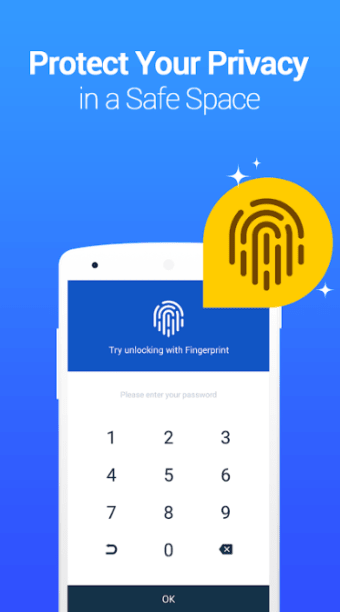
Vault helps users keep personal content and activities private on their Android devices. It lets users hide and protect photos and videos so they can only be viewed after entering the correct password. App Lock adds another layer of privacy by restricting access to selected social, photo, call-log, and telephone apps.
The app also includes a Private Browser for browsing without leaving traces behind, along with a Private Bookmark feature for saving web pages within the app.
How does it handle unauthorized access attempts?
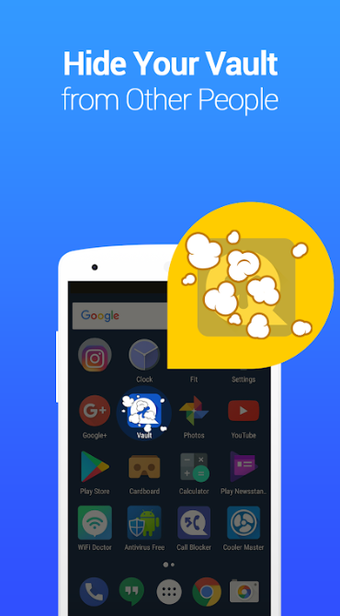
Vault includes Multiple Vault for creating separate vaults with different passwords, plus Fake Vault for setting up a decoy space. Stealth Mode can make the Vault icon disappear from the home screen, which improves discretion but may make the app less convenient to access. Break-in Alerts secretly capture a photo, timestamp, and attempted PIN code when someone enters the wrong password.
What backup and recovery features are available?
Vault’s Cloud Backup stores photos and videos in Cloud Space and helps transfer data to a new phone through cross-device synchronization. Password recovery is available when users set a security email inside the app, so backup and recovery features should be configured early.
A simple way to keep personal content private
Vault is a handy option for Android users who want more control over their private photos, videos, apps, and browsing. Its hiding, locking, backup, and break-in alert features work together to make everyday privacy feel easier to manage.